- Home
- Works & Tech
- Can Visitors Try Remote Operation Without a Real Machine? A Case Study of an Excavator Simulator for a Trade Show
Tech ArticlesSimulationXR
Can Visitors Try Remote Operation Without a Real Machine? A Case Study of an Excavator Simulator for a Trade Show
The challenges, design choices and results of a remote-operation experience simulator developed for a major construction machinery manufacturer
Bringing heavy machinery into a trade show booth takes considerable effort to transport and install. Even when a machine can be placed there, it is difficult to let visitors operate it on the spot. Remote operation in particular is a method people rarely see on real sites yet, and printed materials or videos alone cannot convey how it feels to operate.
"i-Construction 2.0," formulated by Japan's Ministry of Land, Infrastructure, Transport and Tourism (MLIT) in April 2024, aims to reduce the workforce needed on construction sites by at least 30% by FY2040, and makes "automation of construction work" one of its three pillars. Opportunities for people to learn about machines with new operating methods and actually try them will become even more necessary.
This article introduces a simulator for experiencing remote operation of an excavator, developed by WAN at the request of a major construction machinery manufacturer.
Key points
Let visitors try the operation at a venue where a real machine cannot be brought in
We reproduced the excavator cab view and controls in a virtual space so that trade show visitors could experience remote operation on the spot.
Make it a task that ends in a few minutes so first-timers can operate it
We narrowed the experience to a single task and showed a time limit and visual cues on screen, so visitors could proceed without explanation.
An experience environment can be extended to training and AI training
The technology for reproducing machines and sites in a virtual space becomes the foundation for training simulators and AI training environments.
01Overview of the Remote-Operation Simulator Development Case
At the request of a major construction machinery manufacturer, we developed a simulator that lets people experience remote operation of an excavator. The simulator was shown publicly at a construction machinery trade show held overseas.
| Item | Details |
|---|---|
| Client | A major construction machinery manufacturer |
| What we developed | A simulator for experiencing remote operation of an excavator |
| Where it was used | Display and hands-on experience at an overseas construction machinery trade show |
| Software | Unreal Engine, 3ds Max |
02The Challenges the Simulator Development Aimed to Solve
Remote operation is a method in which a person in a distant location moves a machine while watching video on monitors. Because both the view and the feel differ from operating a machine from inside the cab, it is hard to convey unless people actually try it with their own hands.
At the same time, bringing a real machine and remote-operation equipment into a trade show venue and having visitors operate it one by one is not easy in terms of space or safety. So we developed a simulator that provides a virtual site and excavator in place of the real machine, so that visitors can experience remote operation on the spot.
| What tends to happen at trade shows | How the simulator addresses it |
|---|---|
| Heavy machinery is hard to bring into the venue | Reproduce the site and the excavator in a virtual space |
| Operation by visitors carries risks | Nothing breaks even if it collides, because it is a virtual space |
| Time for each experience is limited | Make it a task that ends in a few minutes |
| Many visitors come from overseas | Show on-screen text in the host country's language |
Marketer's note
In simulator consultations, it is common that "who will use it, where, and for how many minutes" has not been decided, even before "what to reproduce." The difficulty of operation and the screen design change depending on whether visitors try it for a few minutes at a trade show or practice for hours in training. Writing down the users, the setting and the length of one session before consulting speeds up discussions about quotes and specifications.
03Design Choices That Let First-Timers Operate It
Not every trade show visitor is used to operating an excavator, and there is little time for explanations. So we designed it so that people could tell what to do just by looking at the screen.
Reproduce the view from the operator's seat as it is
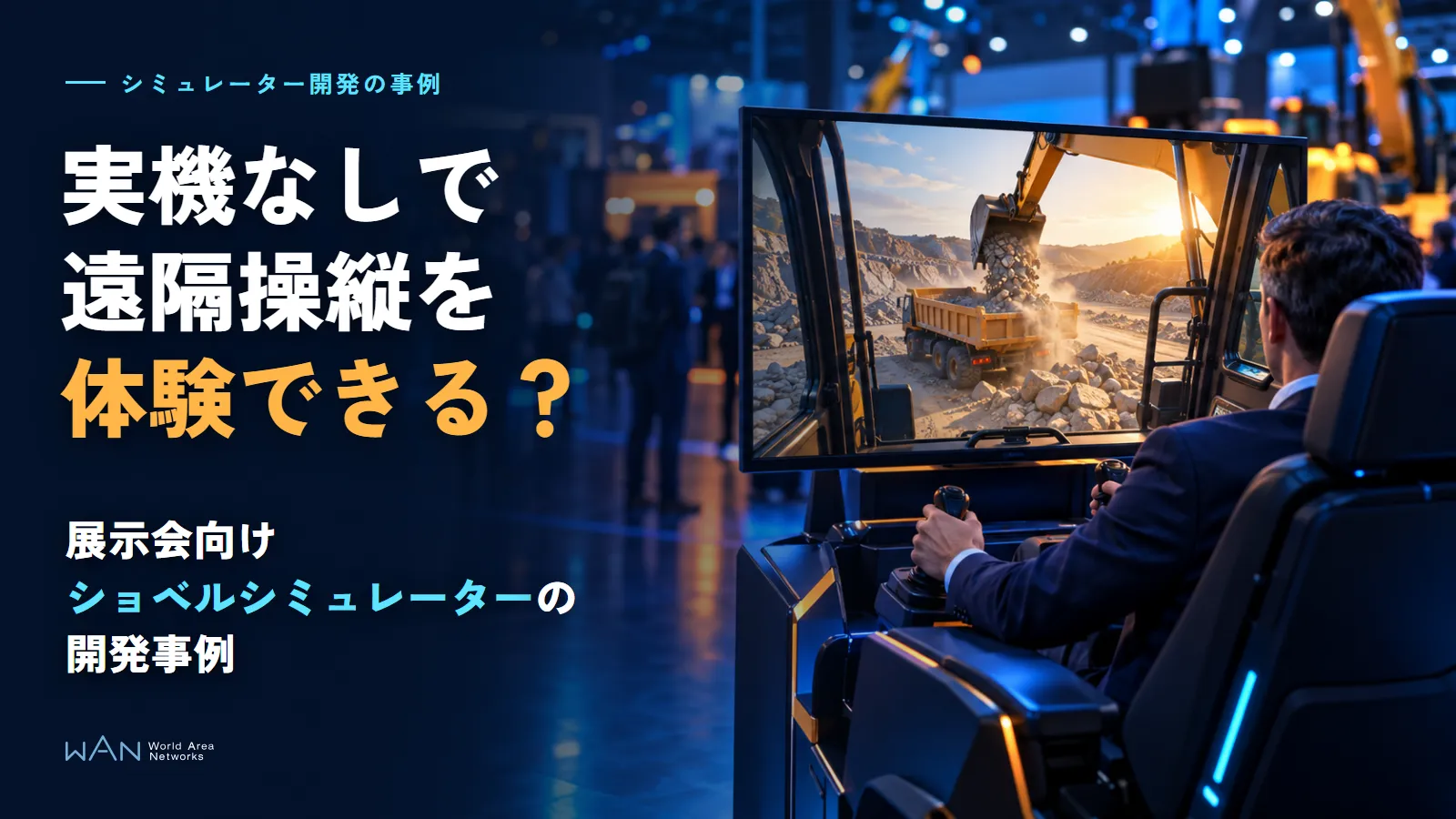
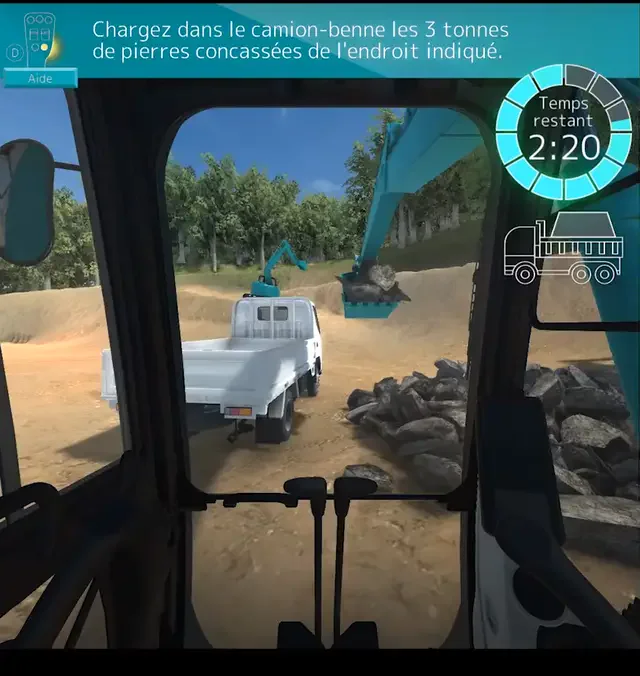
The screen shows the view from the operator's seat, including the window frame and levers (Figure 1). When the cab frame is visible, it is easier to understand where you are sitting and what you are moving, and the motion on screen is also less likely to cause motion sickness.
Show a single task and the remaining time on screen
We narrowed the experience to a single task: "load the stones at the designated spot into the dump truck." The task instruction appears at the top of the screen, and the remaining time and a truck icon at the upper right, so visitors can understand what to do and how much time they have without any explanation. The task instruction is displayed in the host country's language (French).
04Results of the Simulator Development
The simulator was shown publicly at an overseas construction machinery trade show, becoming an exhibit where visitors could experience remote operation. The result of this project was creating a place where visitors could try a new operating method with their own hands, without bringing a real machine to the venue.
In this way, a simulator built for a trade show can also be used for in-house training or sales presentations by reworking its tasks and screens.
Marketer's note
A simulator built for a trade show is sometimes later used for in-house training or sales presentations. Even if another use has not been decided from the start, building it so that operation records can be kept makes it easier to extend for training later. We recommend discussing how it will be used after the exhibition once at the planning stage.
05Technologies Used in the Simulator Development
This project used the Unreal Engine game engine and the 3ds Max 3DCG software.
| Technology | Use |
|---|---|
| Unreal Engine | The core of the simulator. It moves the machine, receives operation input and reflects it on screen |
| 3ds Max | Creating 3DCG models of the excavator, the dump truck and the site |
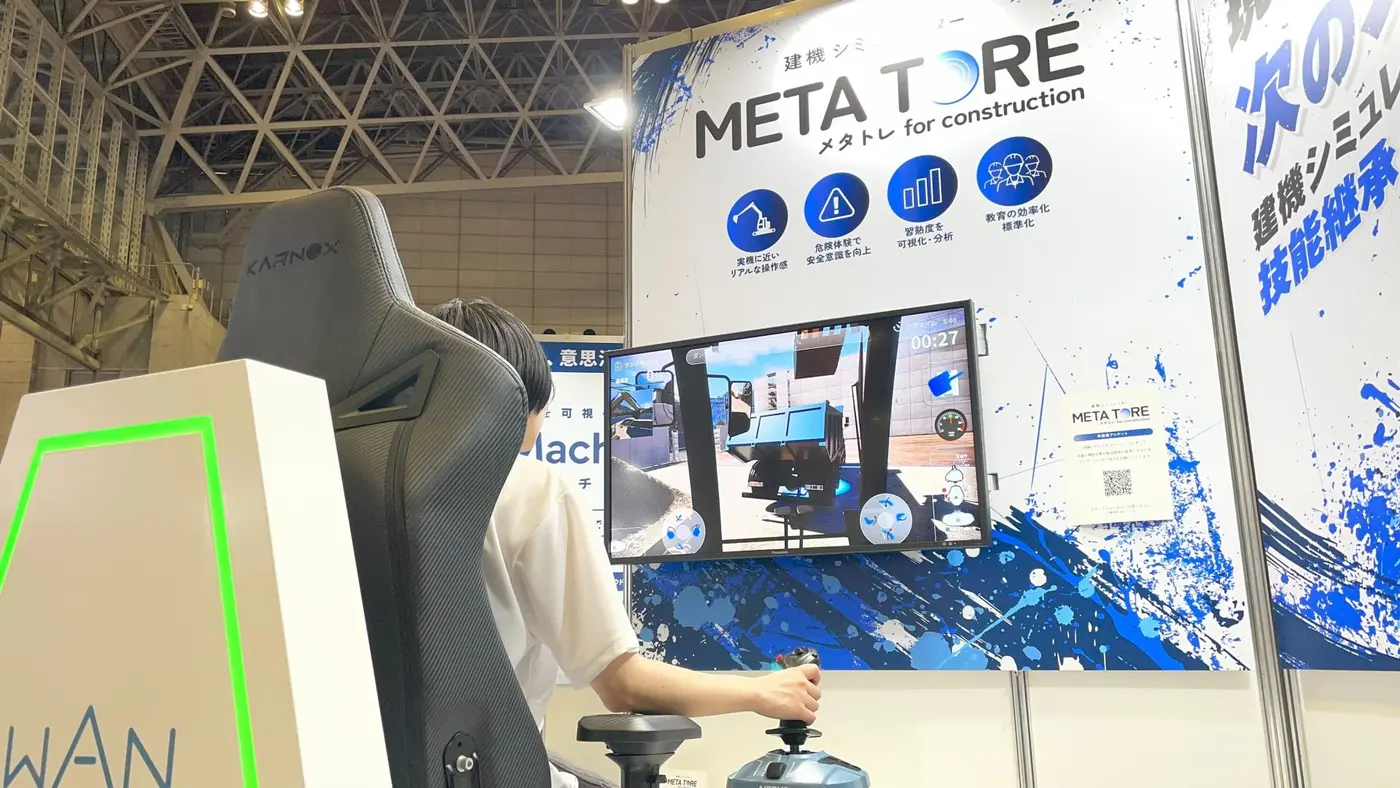
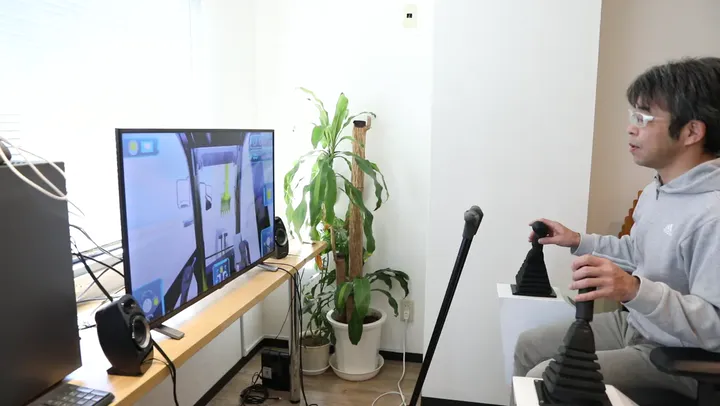
WAN handles everything from planning how to present an experience to creating 3DCG and programming motion within one team. We have continued developing construction machinery simulators since then: our in-house construction machinery simulator, METATORE, reproduces construction sites with 3DCG and physics simulation and lets people practice operation on either a PC or a VR headset.
06Summary: Experience Simulators Can Be Extended to Training and AI Training
Even in places where a real machine is hard to provide, people can experience operating machines in a virtual space. Here are three things worth doing before asking for simulator development.
Decide which operation and setting you want people to experience
Decide who will try it, where, and for how many minutes. For a trade show, make it a task that ends in a few minutes; for training, make it a task that can be practiced repeatedly.
Make a screen that people can follow without explanation
Show the task instruction, the remaining time and visual cues on screen so that even first-timers know what to do. For an overseas trade show, also decide which language to display.
Build it with later uses in mind
If it will be used for training or sales presentations after the exhibition, build it so that tasks can be swapped and operation records can be kept. The technology for reproducing machines and sites in a virtual space can also be used for environments that train AI. The differences are explained in our article on simulation environments for training physical AI.
Write down the operation you want people to experience, the users and setting, and how it will be used after the exhibition, and then talk to us about simulator development.
Sources and references
Ministry of Land, Infrastructure, Transport and Tourism, press release on the formulation of "i-Construction 2.0" (April 16, 2024, in Japanese) https://www.mlit.go.jp/report/press/kanbo08_hh_001085.html (accessed October 27, 2026)
Consultation
Custom simulator development
From exhibition and experience simulators to training simulators, we develop everything from planning to 3DCG reproduction and programming. We also welcome consultations about simulation environments for AI training.