- Home
- Works & Tech
- What Determines the Cost of Simulator Development? What to Decide Before Building a Construction Machinery Training Simulator
Tech ArticlesSimulationXR
What Determines the Cost of Simulator Development? What to Decide Before Building a Construction Machinery Training Simulator
Seven factors that drive the cost of a custom training simulator, how the development period unfolds, and ways to keep costs down
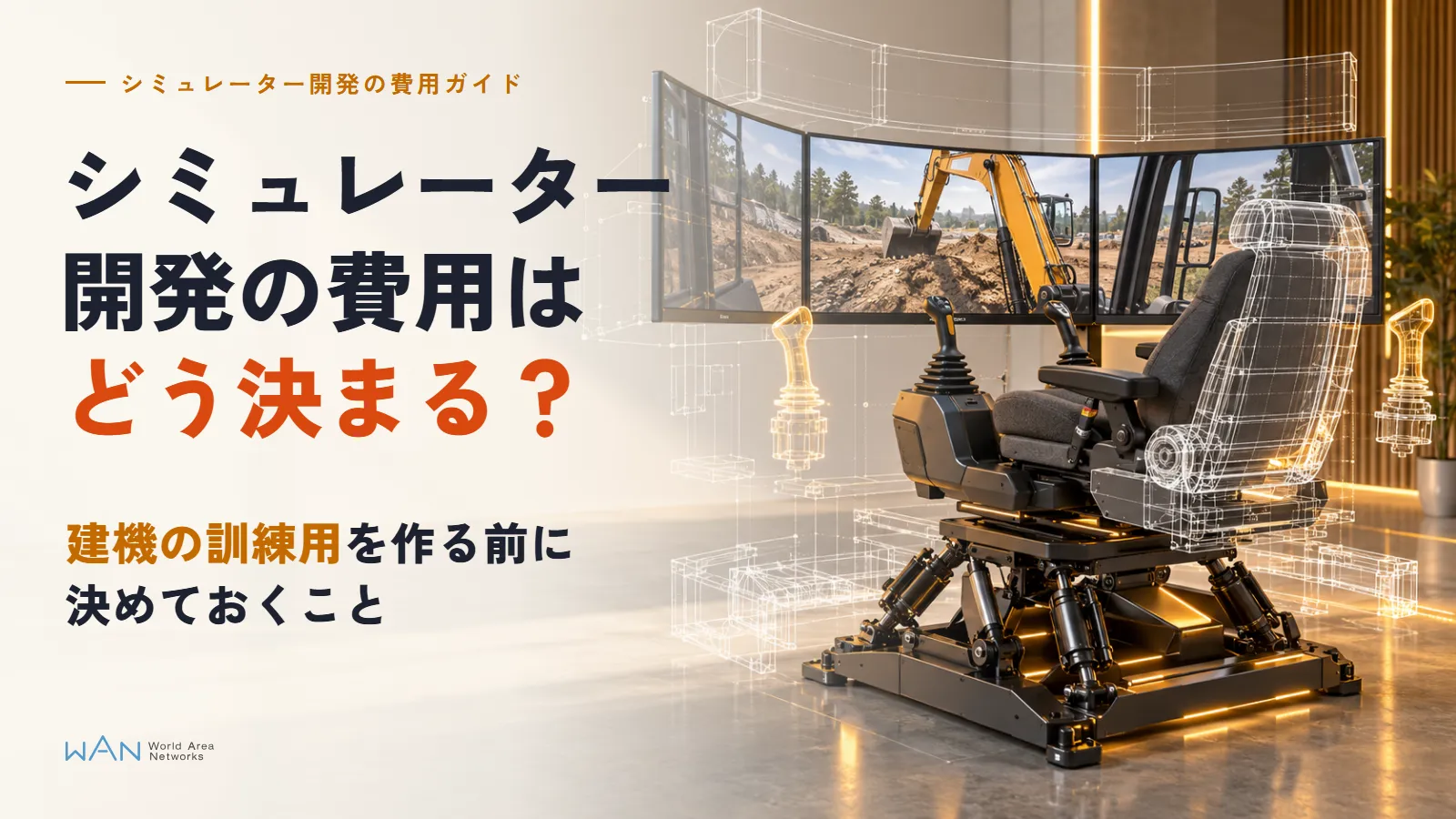
You want to use a simulator for construction machinery operator training. When you propose it internally, the first question you hear is "How much will it cost?" But a custom-built simulator has no list price. Even among "excavator simulators," the contents vary widely, from ones that run on a PC with off-the-shelf gaming levers to ones where trainees sit in a cockpit unit that reproduces the operator's seat.
Companies still consider simulators because there are situations they cannot practice on real machines. According to the Ministry of Health, Labour and Welfare's report on occupational accidents in 2024, of the 746 people who died in occupational accidents (excluding those due to COVID-19), 232 worked in construction. You cannot deliberately stage a near-collision between heavy machinery and a person on a real site for the sake of training.
The cost of development is determined by what you reproduce, what equipment you run it on, and how you keep using it.
Key points
Cost is determined by a combination of seven factors
The amount changes significantly depending on where you spend: the number of machines, controls and cockpit units, VR or PC, physics fidelity, the number of scenarios, scoring and logging, and maintenance.
Split them into "content, equipment, and systems" and decide where to invest
What should be built in detail and what can be kept simple differs by use. There is no need to make everything top-tier.
Verifying with a prototype before expanding makes cost and schedule easier to predict
Building a prototype with one machine and a few scenarios, and adding features after users have tried it, reduces rework.
01Seven Factors That Determine the Cost of Simulator Development
With a training simulator, the more work there is in creating 3D models and programs, and the more trial and error the tuning requires, the higher the cost. The factors that drive the amount are the following seven.
| Factor | Conditions that keep costs down | Conditions that raise costs | Reason |
|---|---|---|---|
| Number of machines reproduced | Only one model | Multiple machines and models | Each machine needs its own 3D model, motion tuning, and mapping of operations to levers |
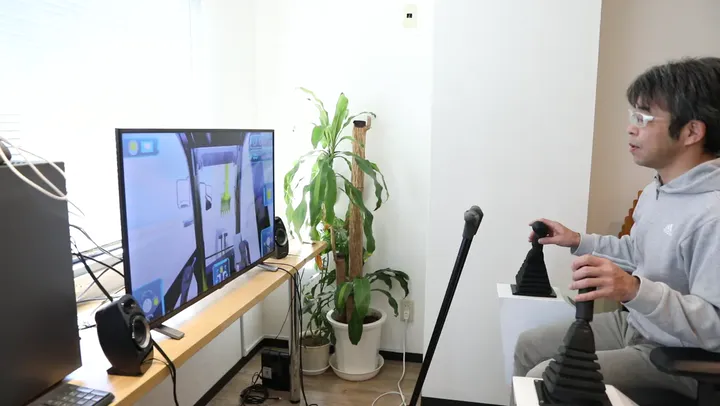
| Controls and cockpit units | Off-the-shelf gaming levers | A dedicated cockpit unit that reproduces the operator's seat, or a motion seat that moves the body | Cockpit units are designed, built, and wired one by one, and transport and installation also cost money |
| VR or PC | Only one of them | Both PC screen and VR | Each display needs its own viewpoint, menus, and testing. VR also needs tuning to keep frame rates high enough to reduce motion sickness |
| Physics fidelity | Playing back predefined motions | Digging and loading soil, hydraulic response lag, load weight | Matching the settings to the real machine's motion takes many rounds of comparison |
| Number of scenarios | A few, with fixed content | Many, or editable by users | Each scenario needs its own terrain, layout, and success/failure judgment. An editing feature is a separate development |
| Scoring and logging | Measuring task time only | Scoring by item, trainee management, a results screen | Meetings to define the scoring criteria, plus a system for storing and viewing data, are needed |
| Maintenance | Delivery only | Support for equipment and OS updates, added features, server operation | Costs continue for as many years as the simulator is used |
Physics fidelity is where differences tend to be largest: getting even the way soil collapses close to the real machine means repeatedly testing and correcting the motion. The difference in required accuracy between simulators for human training and those for AI training is explained in Simulation environments for training physical AI.
The seven factors can be grouped into three: the content you reproduce (number of machines, physics, scenarios), the equipment you use (controls and cockpit units, VR or PC), and the systems that keep it in use (scoring, logging, maintenance).
Marketer's note
When comparing quotes, the scope of maintenance is often overlooked. Even if development costs are similar, what you pay a few years later changes depending on whether the vendor will handle OS updates and equipment replacement. When requesting a quote, tell the vendor how many years you plan to use the simulator and ask them to list the work included in maintenance so you can compare under the same conditions.
02Four Configurations Compared by Controls and Display
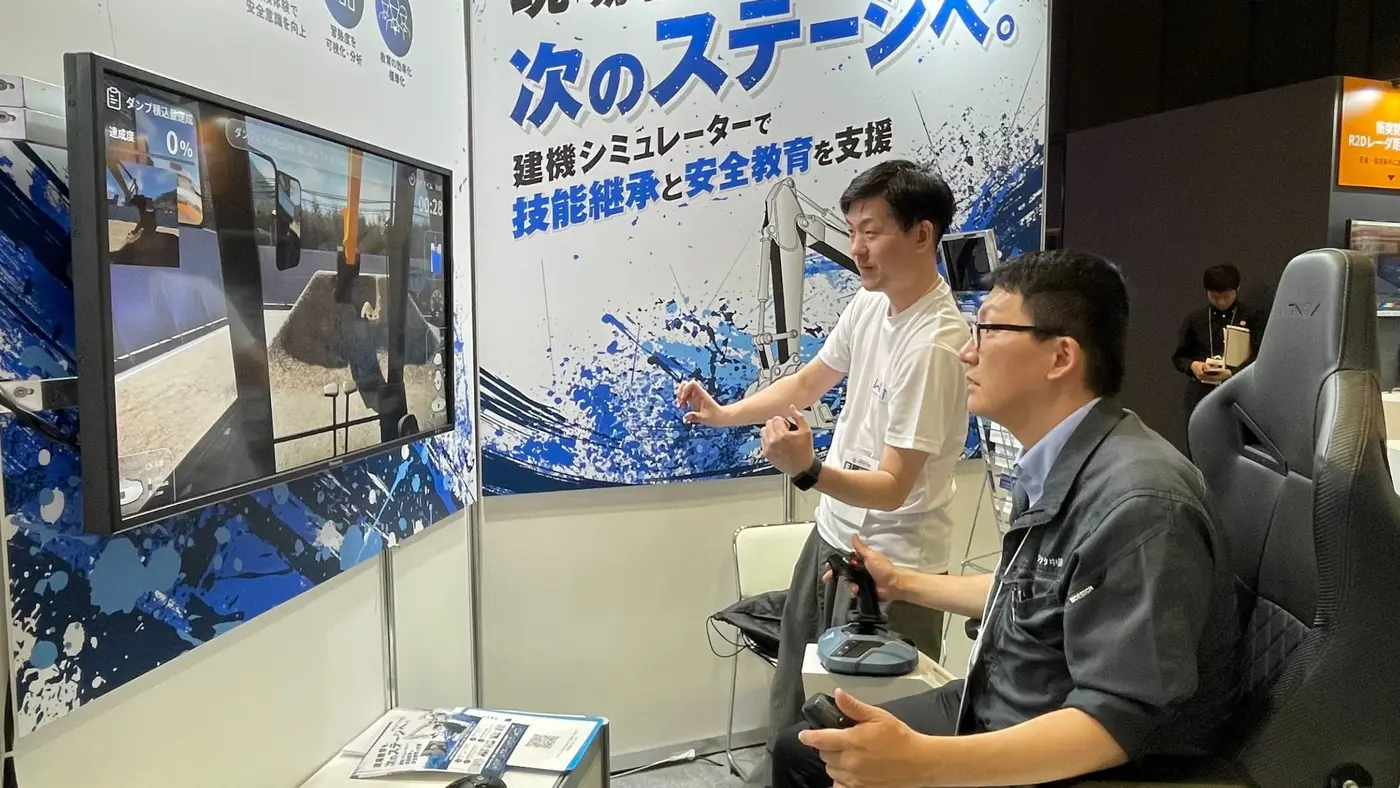
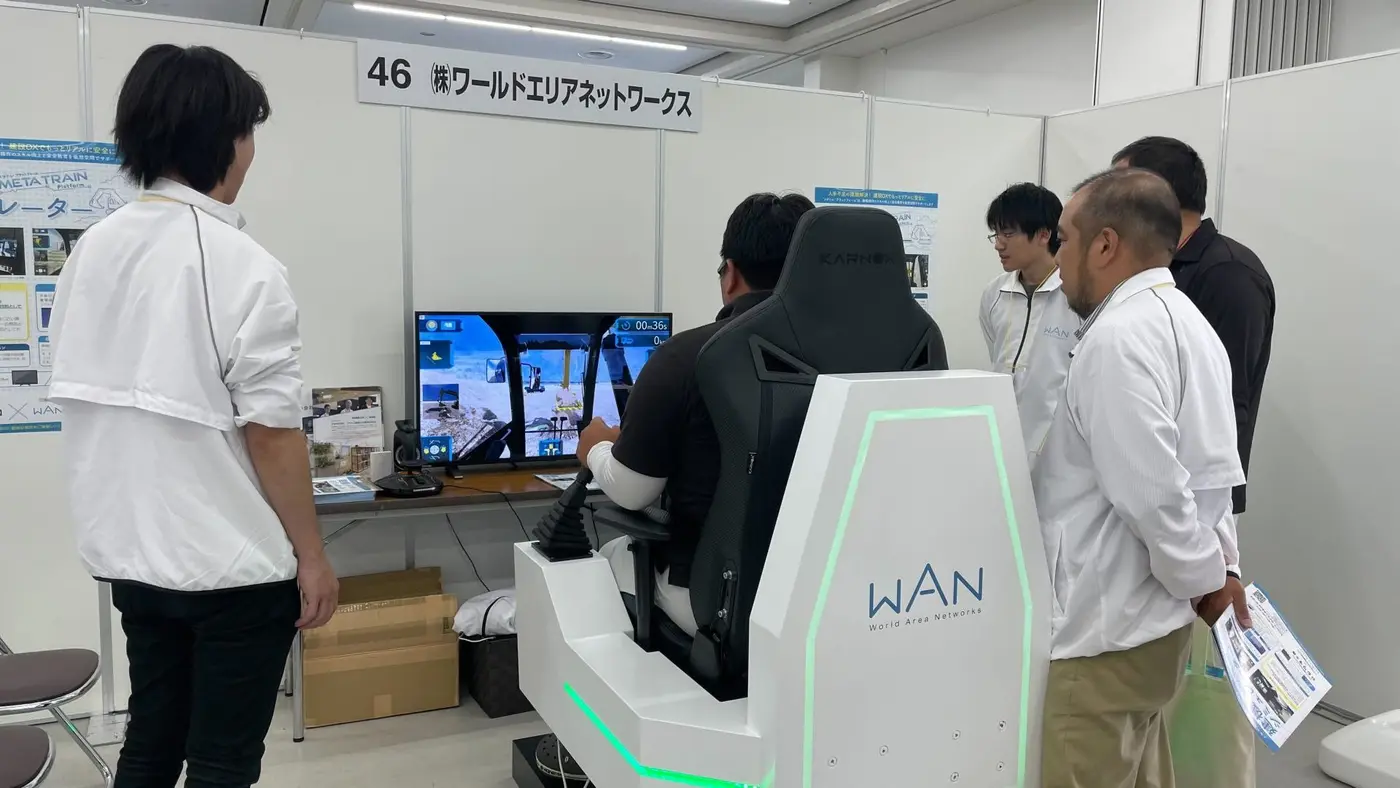
Of the seven factors, the choice of equipment is the one that also affects where the simulator can be installed and what the training covers. Combining the controls (off-the-shelf gaming levers or a dedicated cockpit unit) with the display (a PC monitor or a VR headset) gives four configurations.
| Configuration | Equipment cost | Space required | How operation is reproduced | Suitable uses |
|---|---|---|---|---|
| PC + gaming levers | Low (off-the-shelf PC and levers) | One desk; also portable | Lever position and feel may differ from the real machine | Repeating basic operations, training at multiple sites |
| PC + dedicated cockpit unit | High (cost of building the unit) | Floor space for the unit and an entrance wide enough to bring it in | Seating position and lever layout can match the real machine | Practicing operation close to the real machine, exhibitions |
| VR + gaming levers | Medium (adds a headset) | One desk plus space for cables and charging | Trainees can look around and judge distance easily | Checking surroundings, experiencing dangerous situations |
| VR + dedicated cockpit unit | Highest | Space for the unit and equipment management | Both view and operation can be brought close to the real machine | Training and exhibitions that prioritize immersion |
As for headset prices, Meta's official website lists the Meta Quest 3 (512GB) at ¥102,300. However, the cost of supporting VR is not just the headset; development work is added to tune viewpoint motion and frame rates so that users are less likely to get motion sick.
Because it is not unusual for people to get motion sick in VR, even when building for VR, making the same training available on a PC screen lets you use it with any trainee. The causes of and countermeasures for motion sickness are covered in Causes of and countermeasures for VR sickness.
03Recommended Configurations by Use
Where to spend depends on what you want to train. The table below lists, for four common uses, what to build in detail and what can be kept simple.
| Use | Recommended configuration | What to build in detail | What can be kept simple |
|---|---|---|---|
| Repeating basic operations for new operators | Several units of PC + gaming levers | The machine's response to lever operation, logging of task time and accuracy | Distant scenery, number of machines |
| Safety training on dangerous situations | PC or VR + gaming levers | Placement of people and buried objects, scenarios of dangerous situations, how failures are shown | Cockpit unit, physics detail |
| Hands-on demos at exhibitions and recruiting events | Dedicated cockpit unit | Visuals, an experience that finishes in a few minutes | Scoring items, trainee management |
| Evaluating proficiency and logging operation data | PC + gaming levers or a dedicated cockpit unit | Items to log, data export, results screen | Scenery detail, number of scenarios |
For safety training, preparing many variations of situations such as "a water pipe is buried underground" or "a person walks into the work area" is more useful than reproducing soil collapse precisely. Conversely, for basic operation practice, if the machine's response to the levers differs from the real machine, the operations trainees learn will not carry over to the site.
Note that simulator training does not replace legally required qualifications. Article 20 of the Order for Enforcement of the Industrial Safety and Health Act designates operating vehicle-type construction machinery such as excavators with a machine weight of 3 tons or more as work that only qualified persons may perform. Plan training on the assumption that simulators are used for warming up before obtaining the qualification and for experiencing dangerous situations after qualification.
Marketer's note
At exhibitions, crowds tend to gather in front of dedicated cockpit units, while in in-house training, configurations that let several people practice side by side are sometimes used more. Packing roles like "for exhibitions and for training" into one simulator tends to raise costs. Decide first on the one situation where it will be used most, and choose a configuration that fits it; this narrows down what needs to be built in detail.
04How the Development Period Unfolds and What to Decide Before Requesting a Quote
Once the configuration and what to build in detail are taking shape, the next step is how to proceed with development. Instead of building a finished product in one go, having users try a prototype before moving on to full development reduces rework and makes the schedule easier to predict.
| Stage | What to do | What the client prepares |
|---|---|---|
| 1 Requirements | Decide the training goals, machines, configuration, scenarios, and scoring items | Training goals and target trainees, current training content |
| 2 Prototype | Build the operation and screens with one machine and a few scenarios | Machine documentation, operating procedures |
| 3 Trial and evaluation | Have users and instructors try it and decide what to fix | People to try it and time for them to do so |
| 4 Full development | Build out scenarios, scoring and logging, cockpit units, and so on | Site drawings and photos, scoring criteria |
| 5 Installation | Setup, operation checks, explanations for instructors | Installation space, PCs and network |
| 6 Maintenance and additions | Bug fixes, support for equipment updates, adding scenarios | Feedback from use |
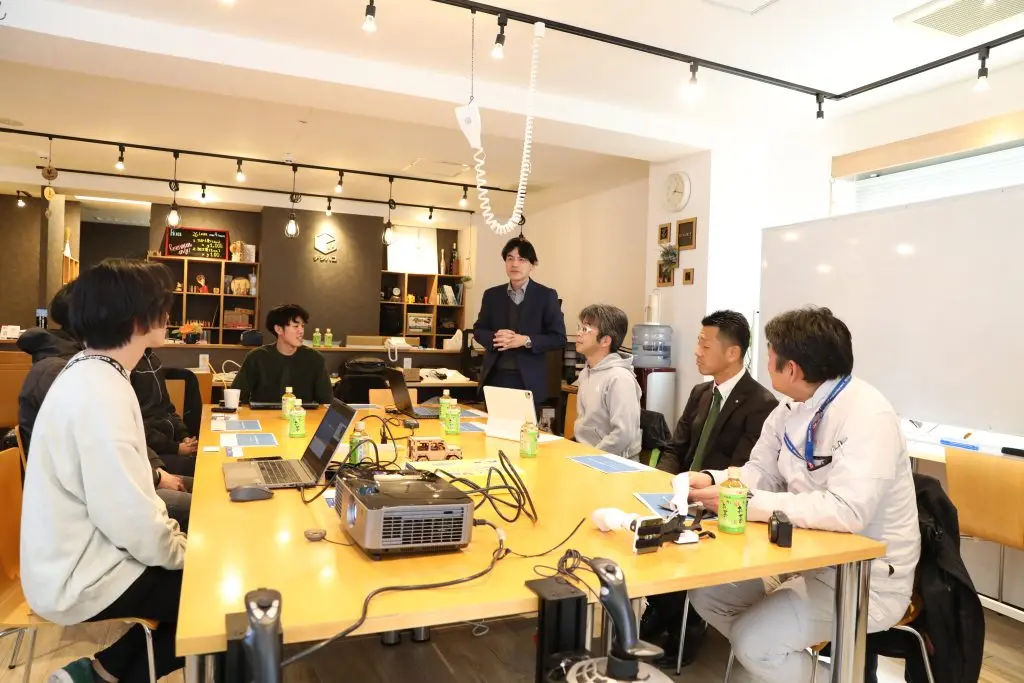
With WAN's construction machinery simulator METATORE as well, we had participants try both the dedicated cockpit unit and gaming levers at a hands-on session in February 2025, revised operability, visibility, and screen layout based on their feedback, and had participants try the improved version in April.
Deciding the following before requesting a quote lets you compare amounts from multiple companies under the same conditions.
| What to decide | Reason |
|---|---|
| Training goals and target trainees (new operators, experienced operators, exhibition visitors) | Determines what to build in detail |
| Machines and models to reproduce | Determines the amount of 3D modeling and motion tuning |
| Installation space and number of units | Determines whether a cockpit unit fits or gaming levers are used |
| PC screen, VR, or both | Determines the amount of development and testing per display |
| Number and content of scenarios | Determines how much terrain, layout, and judgment logic must be built |
| What scoring should evaluate | Determines the items to log and how the results screen is built |
| Years of use and scope of maintenance | Determines the costs that continue beyond development |
05Four Ways to Keep Simulator Development Costs Down
Once you decide where to spend, the rest can be kept simple. Here are four ways to keep costs down without lowering the quality of training.
Start with one machine and a few scenarios
Building with one machine and basic scenarios and adding more after use avoids spending on features you do not need. In return, ask for the initial development to be built so that machines and scenarios can be added later.
Use off-the-shelf controls
Dedicated cockpit units are built one at a time, so costs rise in proportion to the number of units. If the goal is repeating basic operations, you can use gaming levers and PCs and put the savings toward more units or scenarios.
Provide the drawings and 3D data you already have
Building 3D models of the site and machines from scratch is a time-consuming process. If you have drawings, BIM/CIM data, or measurement data from drones or 3D scanners, the training area can sometimes be built from them.
Decide in advance whether users will be able to create scenarios
If you ask the developer every time you add a scenario, you pay each time. Adding a feature that lets users place terrain and obstacles to create scenarios raises development costs but reduces additional orders. Which is cheaper depends on how many years you use the simulator and how many scenarios you add.
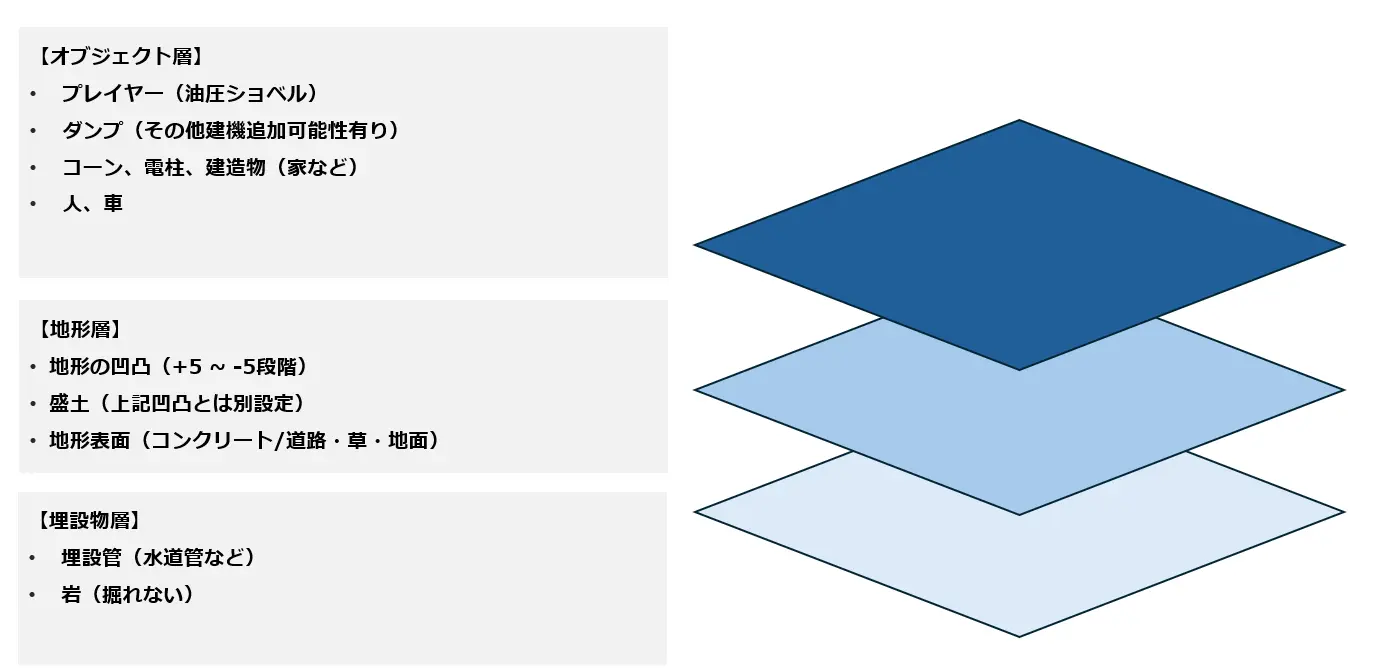
An example of this feature is introduced in the METATORE development report.
Marketer's note
Drawings and site photos are often sitting unused somewhere in the company. If it is clear at the consultation stage that "we have this kind of data," the developer can quickly judge what needs to be built from scratch. We recommend making a list of drawings, 3D data, and site photos that might be usable before you consult a developer.
06WAN's Construction Machinery Simulator Development: Choose Between an Off-the-Shelf Product and Custom Development
The surest way to keep costs down is to use an off-the-shelf product wherever it is sufficient. World Area Networks Co., Ltd. (WAN) works on both its in-house construction machinery simulator METATORE and custom simulator development. We have also developed simulation environments for major companies in telecommunications, construction machinery, railways, and other industries.
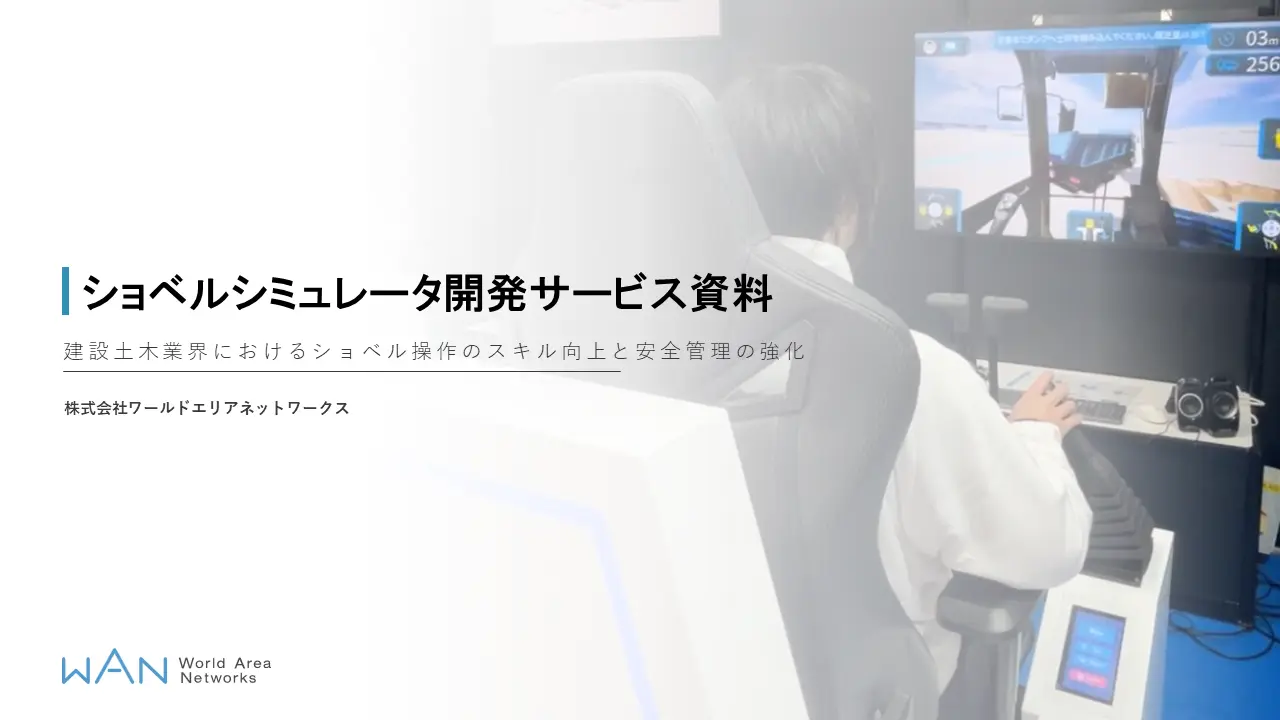
- METATORE (off-the-shelf): A simulator for excavator operation training and safety training that includes dangerous situations. It can be deployed on PCs and VR headsets, scenarios can be adapted to your site, and proficiency can be reviewed numerically from operation logs. We accept inquiries about purchase and leasing (CSPI-EXPO 2026 report)
- Custom development: We build environments close to real-machine training with Unreal Engine, and you can choose controls from a dedicated cockpit unit or space-saving, low-cost gaming levers. Operation logs are collected automatically and can be checked on a dashboard
The software and hardware configuration is introduced in the Excavator Simulator Development Service document. We welcome consultations from the stage before the configuration is decided, such as "Is an off-the-shelf product enough, or where should we go custom?"
07Summary: Think About Simulator Development Costs in Three Parts: Content, Equipment, and Systems
A custom simulator has no list price, and its cost is determined by a combination of seven factors. Before requesting a quote, decide the following three things internally.
Content: Narrow the scope of reproduction to fit the training goals
Decide the number of machines, physics detail, and number of scenarios from the training goals, and spend on what is directly tied to those goals.
Equipment: Choose a configuration based on installation space and number of units
Choose between a dedicated cockpit unit and gaming levers, and between a PC screen and VR, based on available space, the number of people practicing at the same time, and provisions for people prone to motion sickness.
Systems: Decide the scope of scoring, logging, and maintenance based on years of use
What scoring evaluates and how many years the simulator is used determine how costs are split between development and what follows. Building a prototype with one machine and a few scenarios and expanding after users have checked it reduces rework.
When considering simulator development, we recommend writing down three things before requesting a quote: the training goals, the installation space and number of units, and the years of use.
Sources and references
Ministry of Health, Labour and Welfare, press release on occupational accidents in 2024 (in Japanese) https://www.mhlw.go.jp/stf/newpage_58198.html (accessed October 27, 2026)
e-Gov Laws and Regulations Search, "Order for Enforcement of the Industrial Safety and Health Act" (Article 20, Item 12, in Japanese) https://laws.e-gov.go.jp/law/347CO0000000318 (accessed October 27, 2026)
Meta, "Meta Quest 3" (Japan) https://www.meta.com/jp/quest/quest-3/ (accessed October 27, 2026)
Consultation
Training simulator development
We develop custom training simulators for construction machinery and other equipment to fit your goals and budget. We welcome consultations from the stage before the configuration is decided, including whether our off-the-shelf METATORE would be enough.