- Home
- Works & Tech
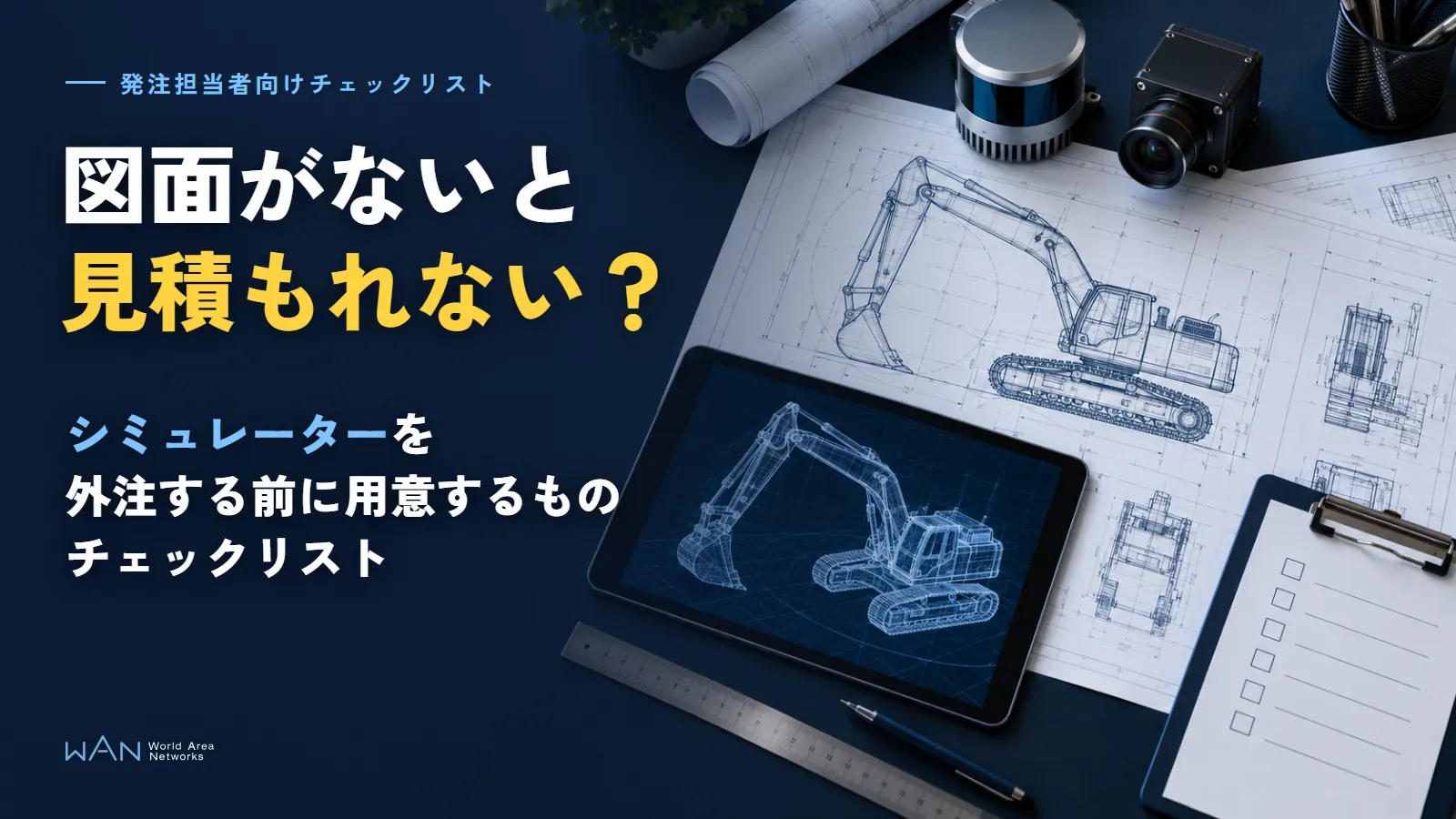
- No Drawings, No Quote? A Checklist of What to Prepare Before Outsourcing a Simulator
Tech ArticlesSimulationAI
No Drawings, No Quote? A Checklist of What to Prepare Before Outsourcing a Simulator
Before ordering a training simulator or a simulation environment for AI training, sort out what you decide in-house, what materials to gather, and what to decide with the developer
When you ask a developer for a simulator quote, you may receive questions before any price: "Who will use it?", "How much needs to be reproduced?", "Do you have drawings of the machine?" If you proceed without answers, the quote will come with a wide range, and specifications may change after development has started.
The "Requirements Definition Guide for Users, 2nd Edition" by the Information-technology Promotion Agency, Japan (IPA) includes a sentence noting that the responsibility for defining a system's requirements is said to lie with the users who use the system to contribute to the business. The same goes for simulators: what it is for and who will use it are not things a developer can decide on your behalf.
On the other hand, some items, such as reproduction fidelity and acceptance methods, are hard for the client to decide alone. Whether it is a training simulator operated by people or a simulation environment for training AI, separating "what we decide in-house" from "what we decide with the developer" before ordering makes consultations move faster.
Key points
The client decides the purpose, users, and scope of reproduction first
The equipment and materials you need change depending on whether people will operate it or AI will learn in it. Divide the scope of reproduction into "must have," "nice to have," and "not needed."
Gather machine and sensor specifications and existing 3D data from what you have on hand
Model numbers, mounting-position drawings, 3D models, and measurement data are materials a developer cannot obtain from outside. List anything you cannot provide, together with the reason.
Decide reproduction fidelity and acceptance methods together with the developer
Which parts to build in detail and what must be confirmed for the work to count as complete are decided while looking at the materials. Set the pass/fail criteria before signing the contract.
01What Preparing Before Outsourcing a Simulator Lets You Do
The goal of preparation is not to assemble a perfect set of materials, but to be able to hand over, at the first meeting, the information a developer uses for quoting and design. With preparation done, you can do the following.
- Compare quotes on the same terms: If you give several companies the same materials, you can tell whether a price difference comes from a difference in scope or a difference in approach
- Reduce rework: If the users or equipment change later, the operation mechanism and screen design have to be redone
- Avoid confusion at acceptance: If you decide in advance what must work for the system to be complete, the items to check at delivery become clear
However, the client does not have to decide everything alone. Dividing who decides each item looks like this.
| Item | Who decides | Reason |
|---|---|---|
| Purpose and users | Client | Only the client knows the business problem and where the system will be used |
| Scope of reproduction (machines, locations, scenarios) | Client | Depends on what the training or learning covers |
| Evaluation criteria | Client (how to quantify them is decided together) | What counts as passing depends on the business's own standards |
| Budget, timing, and internal team | Client | Depends on internal approval and when use will start |
| Reproduction fidelity (which parts to build in detail) | Together with the developer | Cannot be decided without looking at both the materials on hand and the technology used to build it |
| Equipment configuration | Together with the developer | Involves both budget and installation space, and rendering performance |
| Acceptance method | Together with the developer | The checking method must be something the developer can also carry out |
The next section lists, as a checklist, the items the client prepares.
02Pre-Order Checklist for Outsourcing a Simulator
The checklist is divided into two parts: what you decide in-house and what materials you gather from what you have on hand. Even if some fields remain blank, knowing which ones are blank makes clear what to work out at the first consultation.
What the client decides
| What to decide | Example of how to write it | What happens if it is not decided |
|---|---|---|
| Purpose | In one sentence, such as "New employees learn the operating procedure for ___ before boarding the real machine" | Features keep being added, and the budget and schedule grow |
| Users (people or AI) | People: number, experience, age range / AI: what it decides from which sensor data | The equipment and materials to prepare cannot be determined |
| Scope of reproduction | Divide machines, locations, and scenarios into "must have," "nice to have," and "not needed" | You cannot draw the line between what to build in detail and what to leave out |
| Evaluation criteria | People: task time, number of contacts, etc. / AI: task success rate, etc. | You cannot judge whether the work is complete |
| Budget and timing | Budget ceiling, when use will start, and dates that cannot move | The scope of the prototype and how to divide the work into phases cannot be decided |
| Internal team | Point of contact, on-site reviewer, decision-maker | Development stalls while waiting for reviews |
What carries the most weight in preparation changes depending on whether the user is a person or AI. For a training simulator operated by people, the conditions of the operating equipment, such as levers, screens, and how things look in VR, are central. In an environment for training AI, the sensor model numbers and on-site measurement data determine how accurate the virtual space is. The reasons are explained in our article on simulation environments for training physical AI.
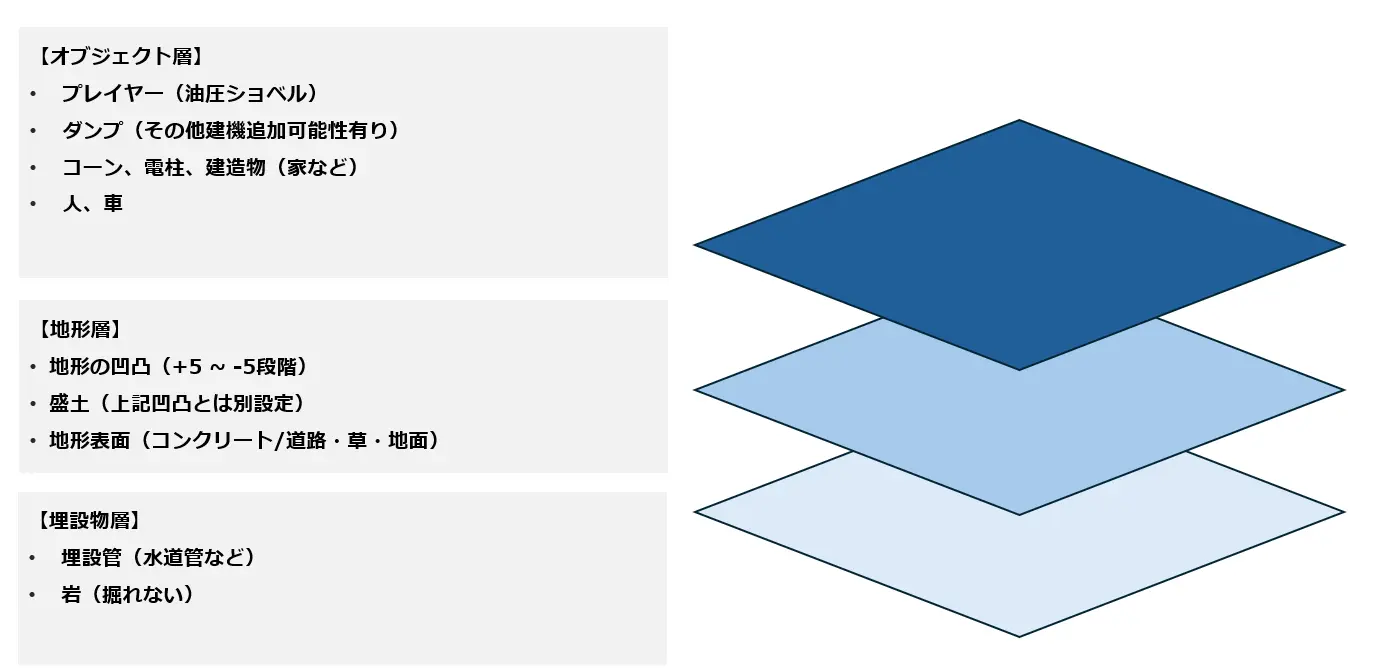
The scope of reproduction is easier to organize when you divide the site into layers. METATORE's field customization feature divides it into a layer for construction machinery, people, and vehicles, a terrain layer, and a layer for underground buried objects.
Materials to gather from what you have on hand
| Material | Contents | Substitute if it cannot be provided |
|---|---|---|
| Machine and sensor specifications | Model numbers, dimensions, range and speed of motion, and drawings showing sensor mounting positions and orientations | Catalog values, and photos of the real machine with dimensions written on them |
| Existing 3D models and drawings | CAD data, design drawings, and 3DCG made for other purposes | Outline drawings and photos taken from all four sides |
| On-site measurement data | Point clouds or 3D Gaussian Splatting (3DGS), survey drawings, and operation and sensor data recorded by running the real machine | Measurement by the developer (discuss scope and schedule) |
| Conditions of the equipment to be used | Whether there is a PC, VR headset, or cockpit unit, and the size and power supply of the installation space | Narrow down to two or three candidates and decide with a prototype |
Marketer's note
With drawings and 3D data, work sometimes stalls not because of the files themselves but because no one knows how to read them. For a mounting-position drawing, where on the machine the dimensions are measured from, and whether the units are millimeters or meters, changes where things are placed in the virtual space. It also helps to note when measurement data was captured and which equipment has changed since then. Simply adding four columns, "format, units, reference point, date created," to your list of materials cuts down the questions at the first meeting considerably.
03Five Steps to Decide Together with the Developer
Once the checklist is filled in, work out the remaining items with the developer. The order is as follows.
- Show the materials and separate what can be used from what must be rebuilt: 3D models made for other purposes may not have moving parts such as the arm and bucket separated. Have the developer look at the materials and decide whether to use them as they are, re-separate them, or rebuild them
- Decide reproduction fidelity for each part of the scope: Build the areas marked "must have" in the checklist to the dimensions in the drawings and measurement data, and for "nice to have" areas, simplify the visuals, deciding the level of detail for each area
- Try the prototype on the equipment you will use: Have the actual users operate the prototype on the same PC, headset, or cockpit unit as in production. If you use VR, also check how likely it is to cause motion sickness at this stage (Causes of VR sickness and how to prevent it)
- Decide the acceptance method and pass/fail criteria: Decide which scenarios will be checked, on which equipment, by whom, and what must work to pass. Write criteria that can be quantified as numbers, and put what you decided in writing before the contract
- Decide how changes will be handled and the review schedule: It is not unusual for things you want to change to come up after trying the prototype. Decide with the point of contact up to what point changes are included in the quote and how often review meetings will be held
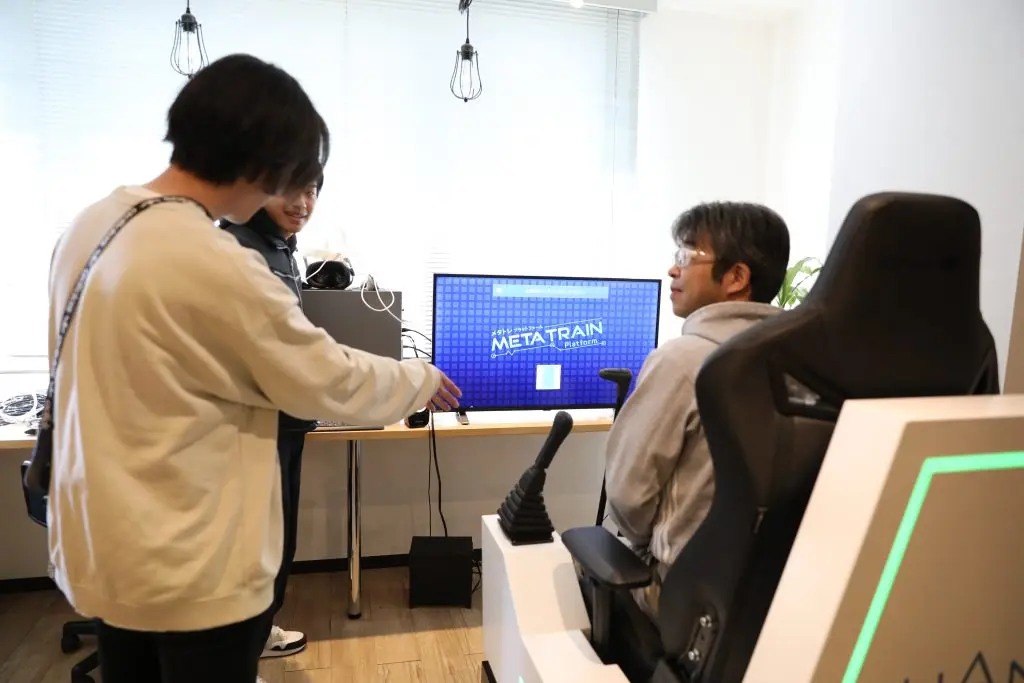
Step 3, the prototype, is especially where differences that cannot be seen in desk meetings tend to emerge. Whether users view it on a monitor or in VR, and whether the levers are gaming controllers or a dedicated cockpit unit, changes both the feel of operation and the budget required.
Marketer's note
Asking the instructors who usually train new employees to name three scenarios where "if they can do this, they pass" gives you a first draft of the acceptance criteria. It moves much faster than having the person in charge of the order write the criteria alone. Scenarios written in on-site language are easy for a developer to turn into checking methods, and can also be used as they are as checklist items when users try the prototype.
04What to Do When Preparation Does Not Go Well
Consultations sometimes begin before all the materials are in place. Rather than halting the consultation because materials are missing, choosing a next step and moving forward gets you to a result faster.
| Problem | Next step |
|---|---|
| Drawings and CAD data are confidential and cannot be shared | After signing a non-disclosure agreement, hand over only the necessary parts, such as outlines and mounting positions |
| There are no 3D models | Build them from photos and dimensions, or measure the site or machine in 3D (Differences between point clouds and 3DGS) |
| The sensor model numbers have not been decided yet | Build provisionally with candidate model numbers, keeping settings separate so they can be swapped later |
| The evaluation criteria cannot be decided | Have experienced operators and new employees do the same task on the prototype, and use the items where differences appear as candidate criteria |
| The budget is not enough | Narrow the scope of reproduction to "must have" and build the first phase, then expand after seeing the results |
| Internal opinions cannot be aligned | Have on-site staff try the prototype and gather opinions before deciding the specifications |
However, for parts with no materials, the developer has no choice but to build them by inferring from photos and typical values. Those parts will retain differences from reality. List the parts built by inference, and either exclude them from acceptance or include a phase in the budget for measuring and correcting them later, so you can avoid disputes such as "it is different from the real machine" after completion.
05WAN's Simulator Development, from Training Simulators to AI Training Environments
WAN was founded in 2010 and has continued to create virtual spaces with 3DCG and XR and to develop simulators for construction machinery and more. To date, we have also developed simulation environments for major companies in telecommunications, construction machinery, railways, and other industries.
Contract development proceeds in this order after an initial consultation: hearing and problem analysis, design and requirements definition, prototyping and verification, production and development, installation and training, and post-installation support. Even if some fields in this article's checklist remain blank, you are welcome to consult us from the concept stage.
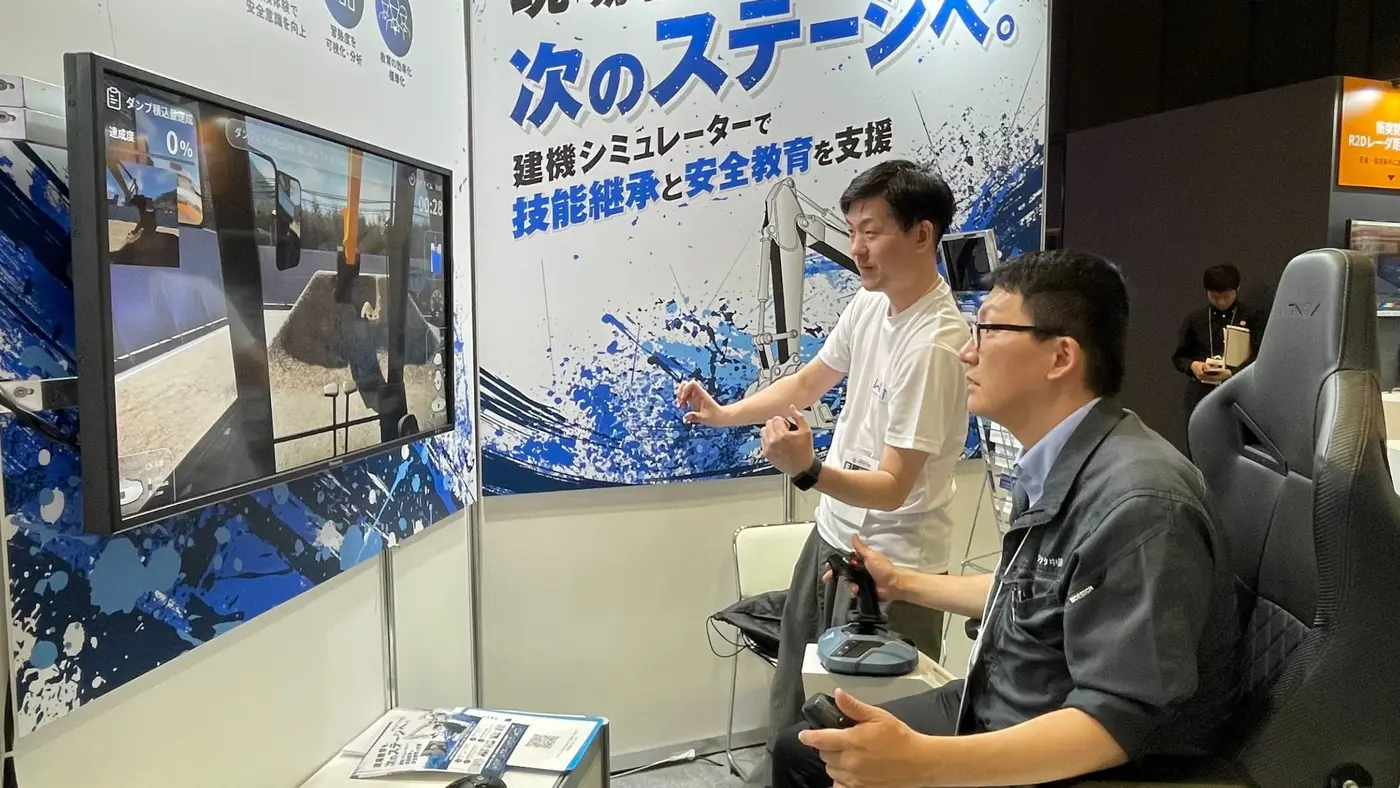
- Equipment combinations: Our in-house construction machinery simulator, METATORE, is built with Unreal Engine and can be used with either a dedicated cockpit unit or gaming lever controllers. It also supports use on large monitors and VR headsets
- Training simulators: We develop everything from reproducing sites and machines to operating equipment and training scenarios
- Simulation environments for AI training: We develop everything from 3D measurement of sites to reproducing the virtual space, machines, and sensors
06Summary: Prepare to Outsource a Simulator in Three Parts: Decide, Gather, and Decide Together
The responsibility for deciding a simulator's requirements lies with the side that uses it. On that basis, separating out where you rely on the developer's expertise speeds up the path from consultation to quote.
Decide: Put the purpose and users into one sentence
Write in one sentence what it is for and who (people or AI) will use it, and divide the scope of reproduction into "must have," "nice to have," and "not needed." Decide the evaluation criteria, budget and timing, and internal point of contact here as well.
Gather: Make a list of model numbers, drawings, and 3D data
Gather machine and sensor model numbers, mounting-position drawings, existing 3D models, and measurement data, and include anything you cannot provide in the list, together with the reason. Note the format, units, reference point, and date created as well.
Decide together: Set the acceptance criteria before the contract
Decide reproduction fidelity and equipment configuration with the developer while looking at the materials and the prototype. Put what counts as passing in writing before the contract, based on the instructors' own words.
We recommend bringing two things when you consult a developer: a note stating the purpose in one sentence, and a list of the materials you have on hand.
Sources and references
Information-technology Promotion Agency, Japan (IPA), "Requirements Definition Guide for Users, 2nd Edition: 128 Key Points for Successful Requirements Definition" (published September 12, 2019, in Japanese) https://www.ipa.go.jp/archive/digital/iot-en-ci/jyouryuu/youkenteigi20190912.html (accessed October 27, 2026)
Consultation
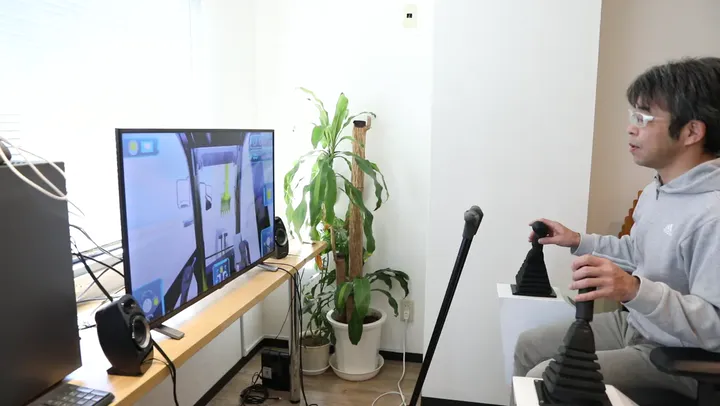
Contract development of simulators and simulation environments
We develop everything from training simulators operated by people to simulation environments usable for AI training. You are welcome to consult us from the concept stage, including a review of the drawings and 3D data you have on hand.